How AI Golf Swing Analysis Works
SwingLens turns a phone video into a full coaching report. Here's what happens behind the scenes.
You Record Your Swing
Use your phone's slow-motion camera. Place it at waist height, 6 to 8 feet away, either face-on or down the line. No tripod required, but a steady angle helps. Upload the video and SwingLens takes it from there.
Pose Estimation Tracks Your Body
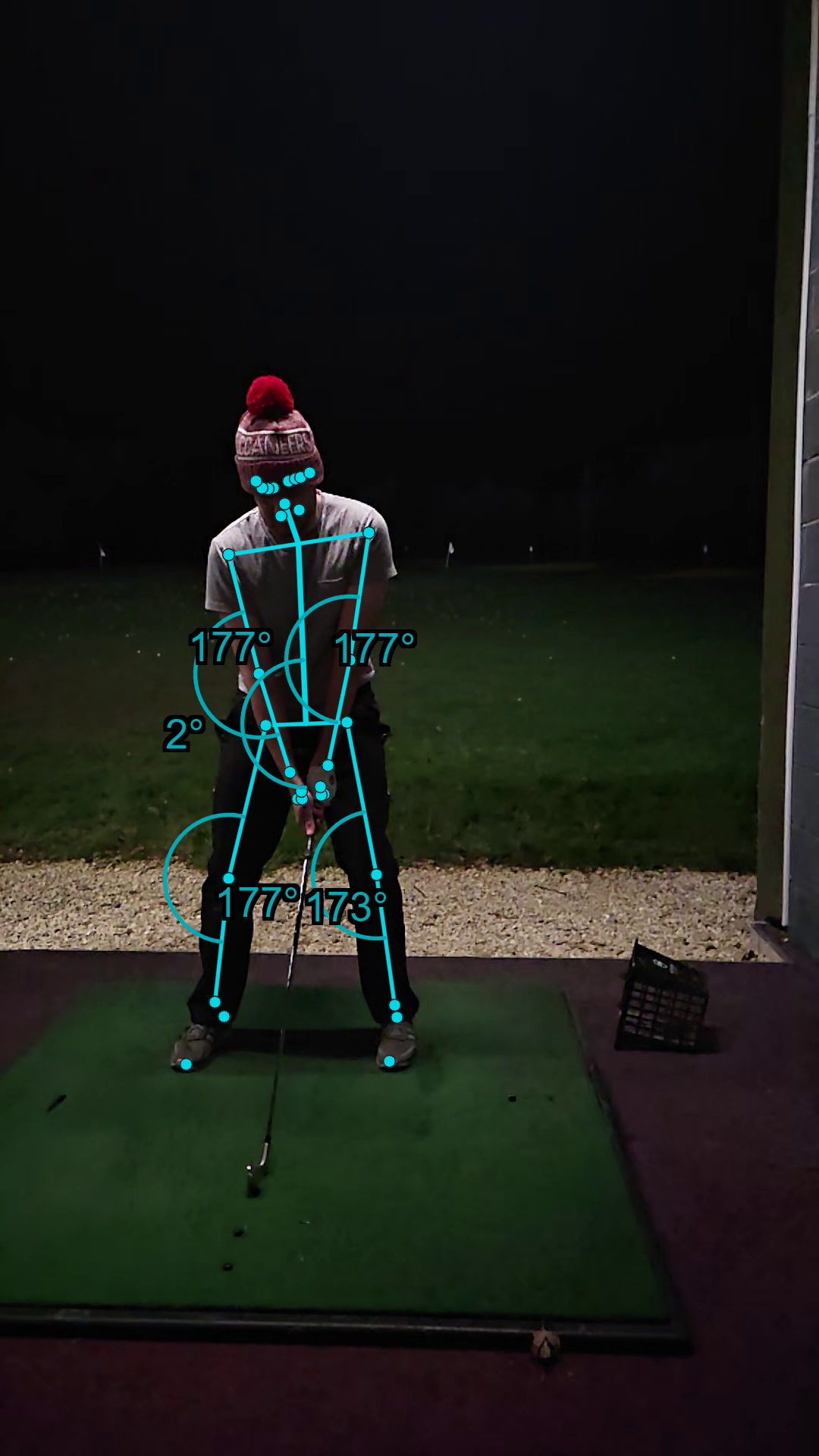
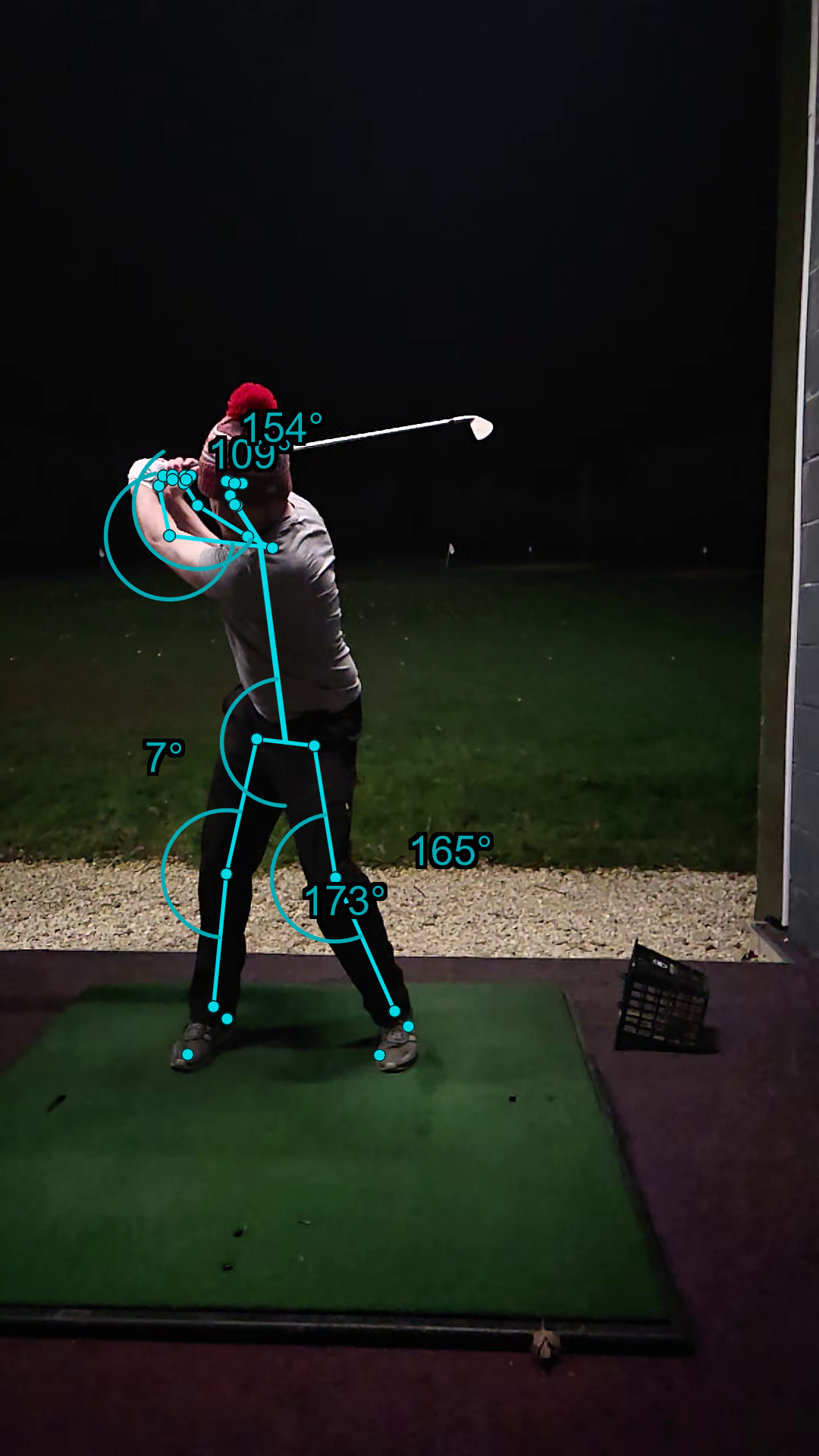
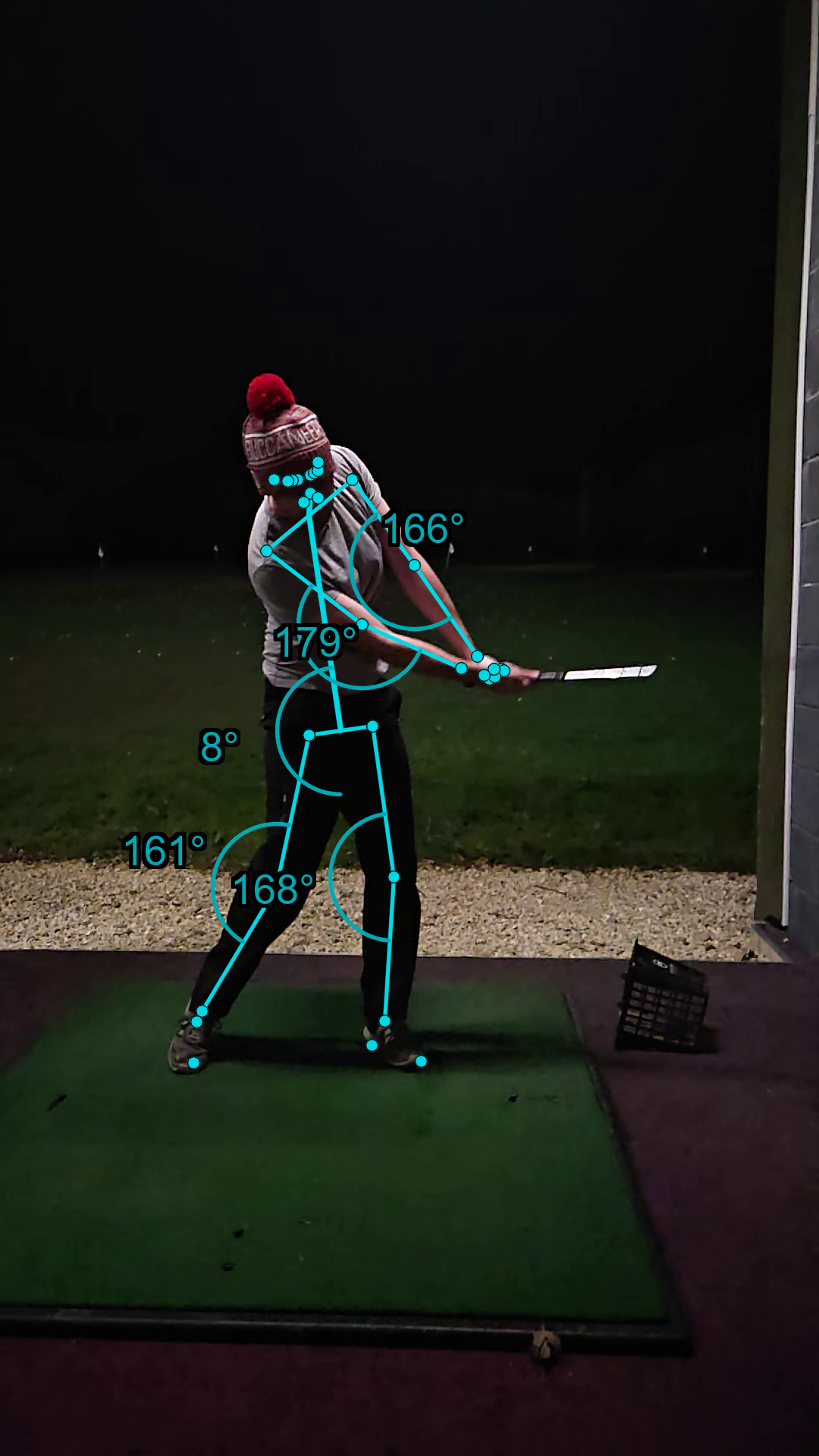
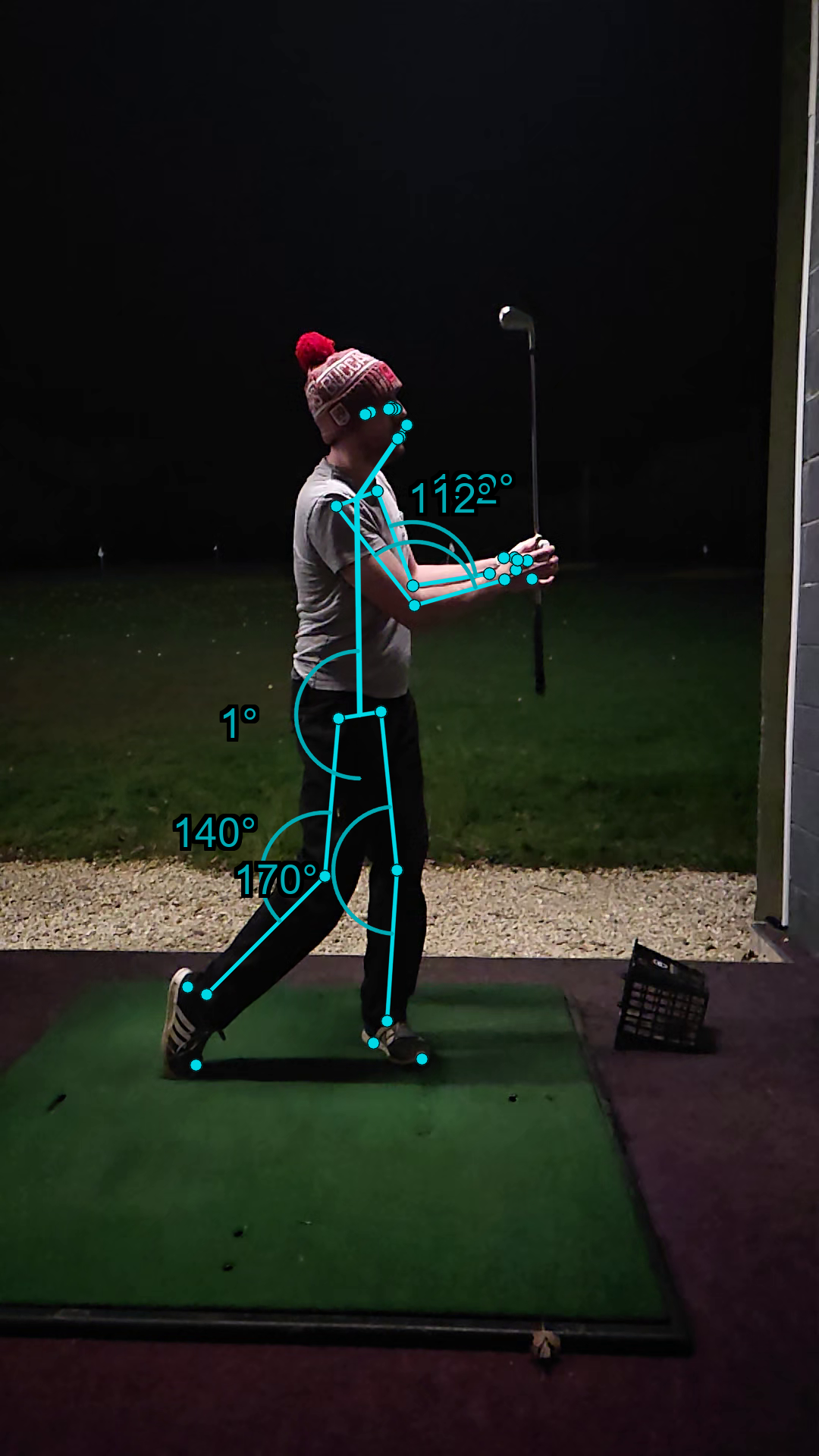
Computer vision detects 33 body landmarks in each frame of your video: shoulders, hips, knees, wrists, ankles, and more. From these landmarks, SwingLens calculates precise angles for spine tilt, shoulder turn, arm extension, hip-shoulder differential, and knee flex.
Key Positions Are Extracted
The system identifies five key swing positions automatically: setup, top of backswing, transition, impact, and follow-through. Each position is captured as a frame with a pose overlay, so you can see exactly where your body was at each stage.
AI Analyses the Data
The angle measurements and pose images are passed to an AI model that understands golf swing mechanics. It reviews each position, rates your body alignment, and identifies mechanical issues. Issues are ranked by severity so you know what to work on first.
You Get a Coaching Report
The result is a detailed report covering posture, rotation, weight transfer, and impact mechanics. Each issue comes with a specific drill matched to the problem. Not generic advice. Targeted practice based on what the AI found in your swing.
Track Your Progress Over Time
Every analysis is stored. Your dashboard shows trend charts for key measurements so you can see how your spine tilt, arm angles, and rotation change session by session. Compare swings side by side to see exactly what's improved.
Every position. Every angle.
Your swing has blind spots. We see them all.
Upload a swing video and get pose analysis, coaching notes, and a shareable card. Free, no signup required.
Analyse My Swing Freeor see plans